
 Português
 Español
 English
Application engineering
The value that connects your load to the right indexing table
Moment of inertia describes how strongly a rotating assembly resists a change in speed. Mass distribution matters just as much as total weight.
01 / Moment of inertia
Why calculate it
Knowing the moment of inertia prevents both oversizing, which raises project cost, and undersizing, which compromises performance, service life and safety.02 / Moment of inertia
Three ways to obtain the value
- 01Mathematical calculation from geometry and mass
- 02Technical configurator on the quote pageCalculate moment of inertia →
- 03CAD mass properties in SolidWorks, Inventor, CATIA or NX
CAD
How to obtain it in SolidWorks
- Step 01
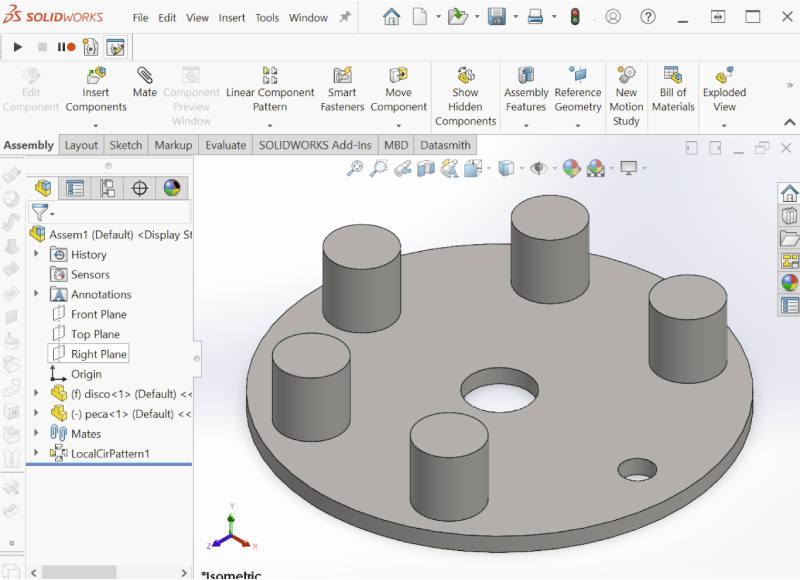
Create an assembly containing every item moved by the rotary indexing table and assign accurate materials and masses.
- Step 02
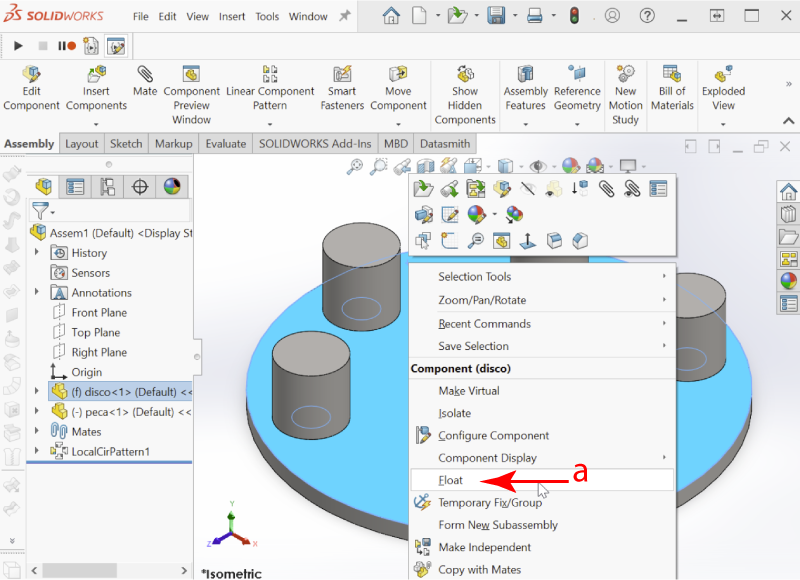
Float the assembly so it can be positioned relative to the origin.
- Step 03
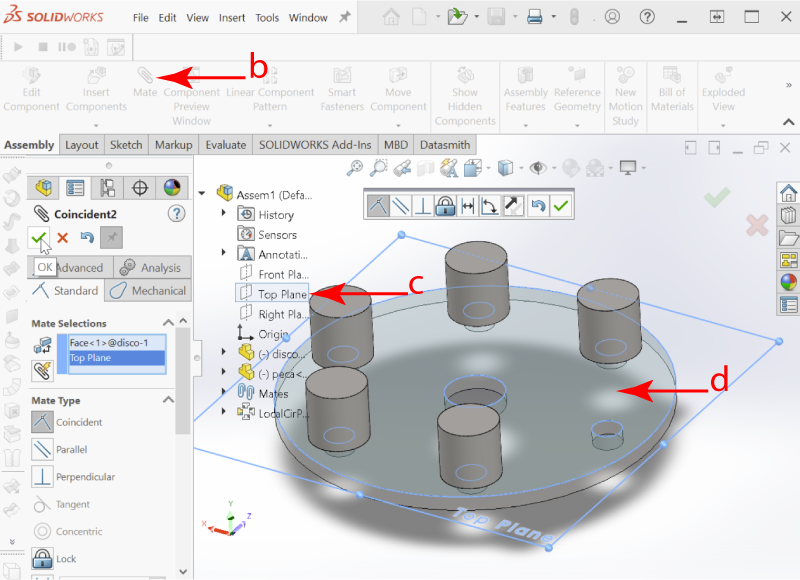
Mate the rotary plate to a standard plane using a coincident relation.
- Step 04
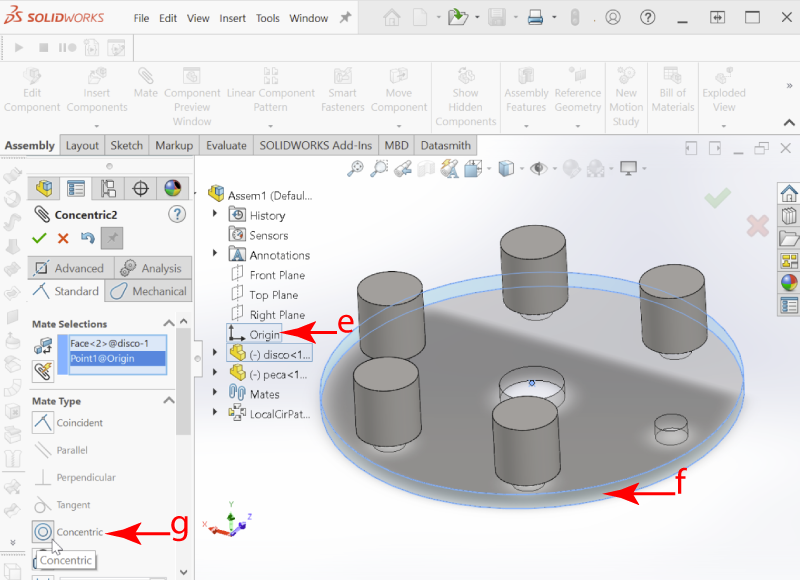
Align the assembly origin concentrically with the plate center.
- Step 05
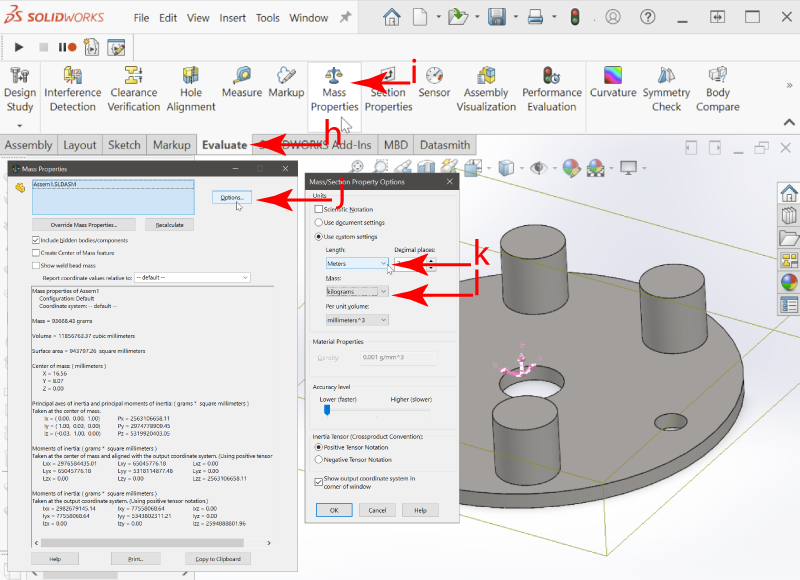
Under Evaluate > Mass Properties, set mass to kilograms and length to meters.
- Step 06
Use the UCS to identify the rotation axis and record the matching component, such as Iyy for the Y axis.
CAD
How to obtain it in Inventor
- Step 01
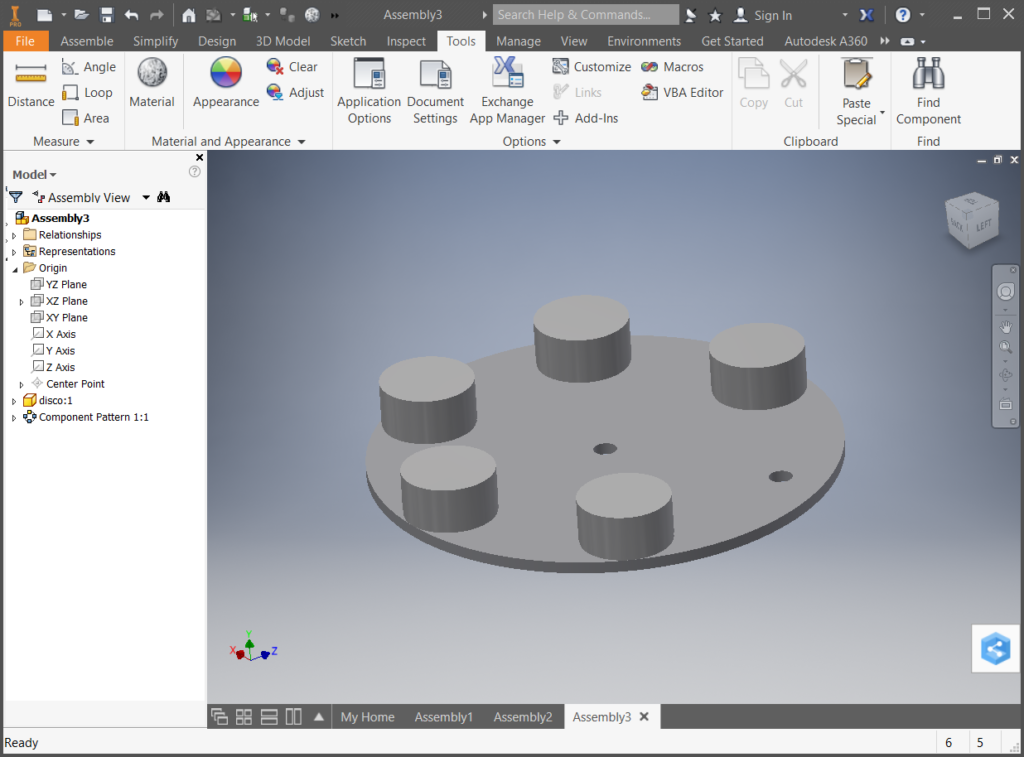
Include only the components that will move and verify their materials, dimensions and masses.
- Step 02
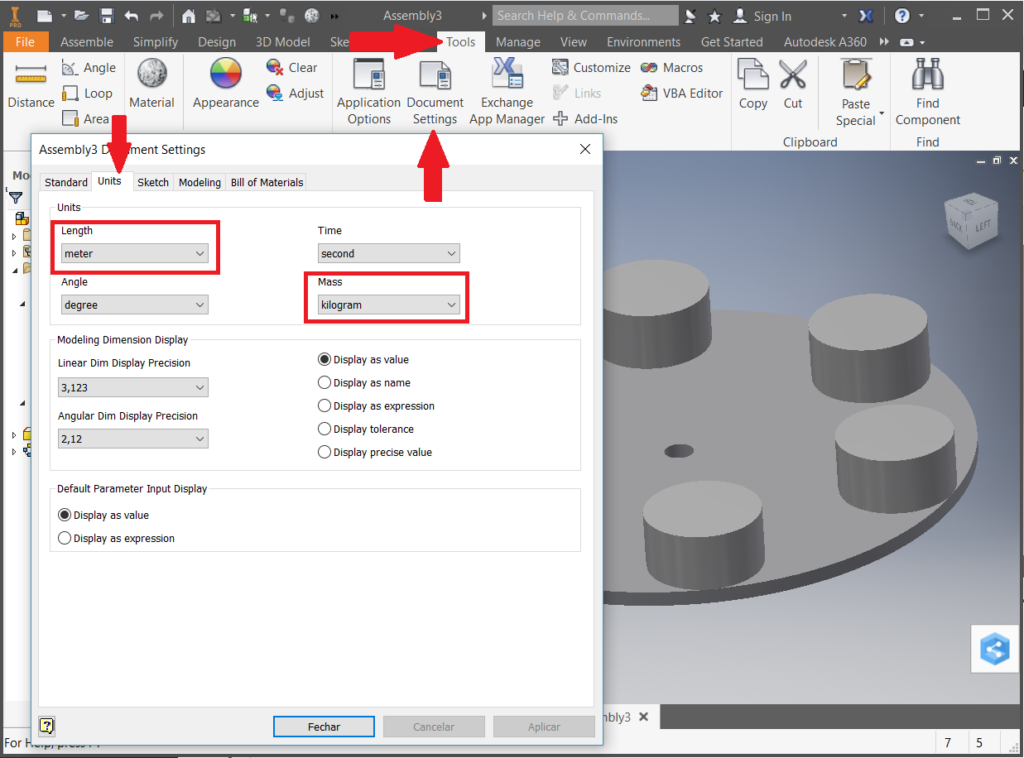
Under Tools > Document Settings > Units, select meters and kilograms.
- Step 03
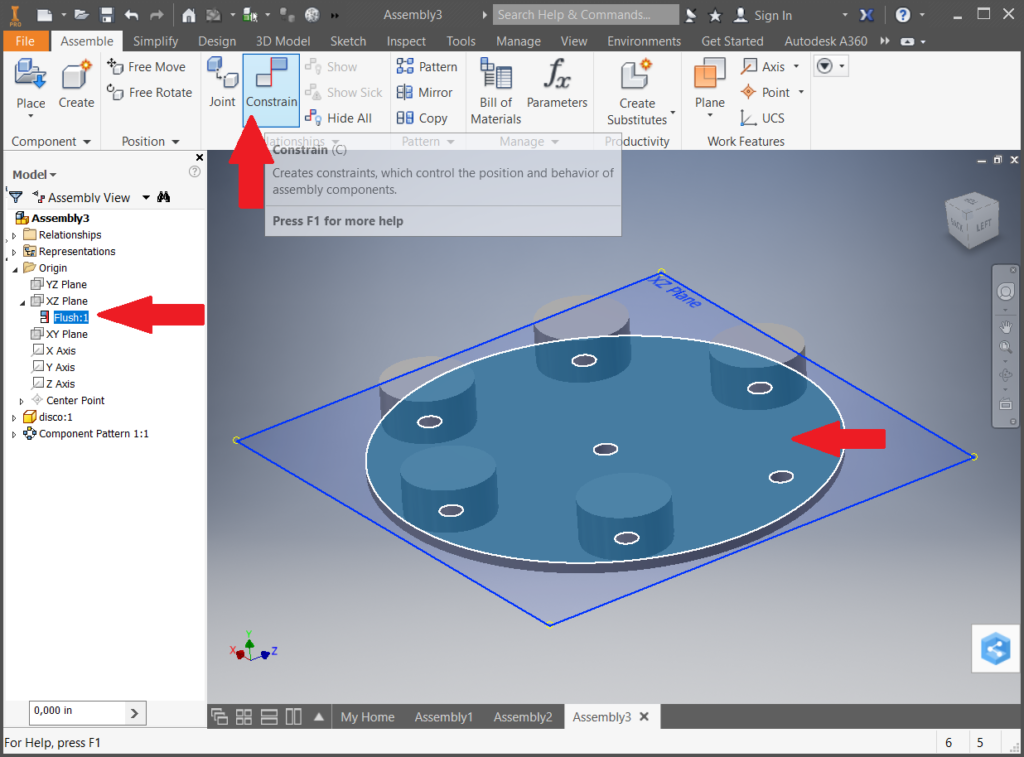
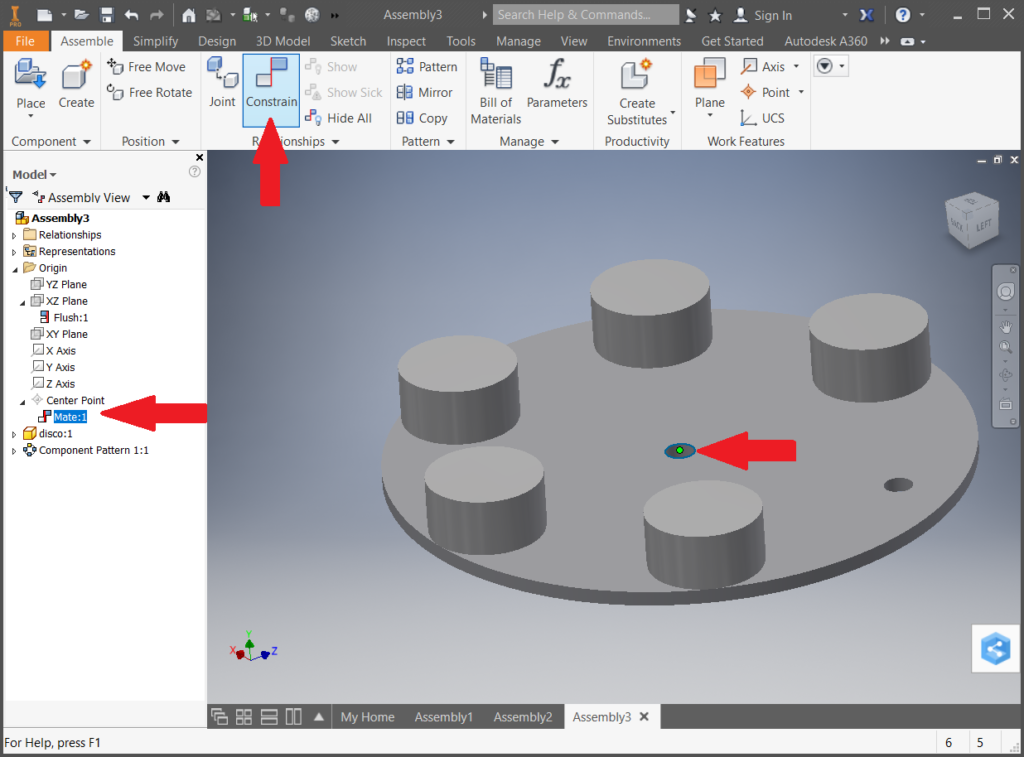
Constrain the plate to the XZ plane to establish Y as the rotation axis.
- Step 04
Constrain the assembly origin to the plate center.
- Step 05
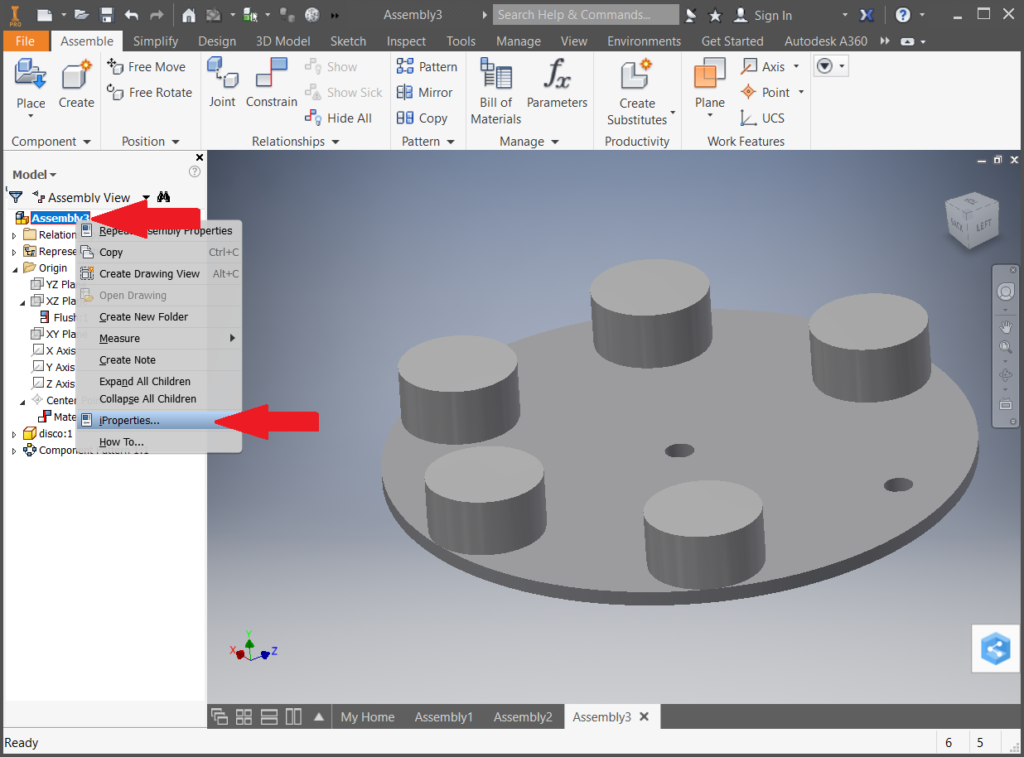
Open iProperties from the first item in the assembly tree.
- Step 06
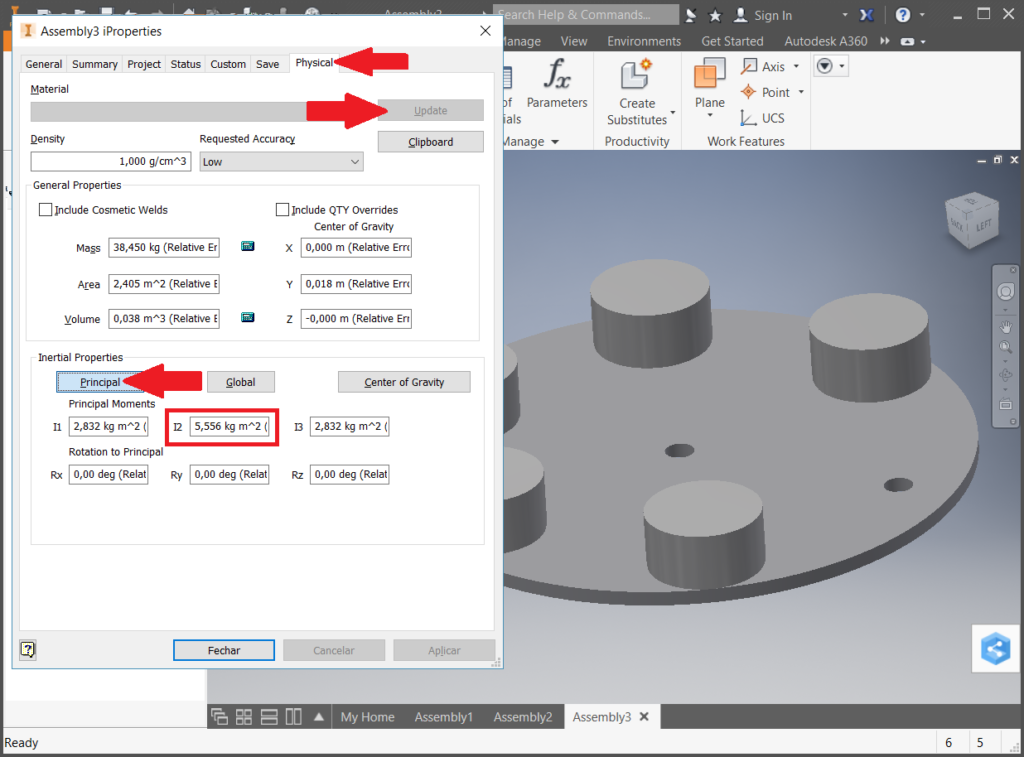
Under Physical, select Update and Principal. For rotation about Y, record I2 in kg·m² and send a screenshot with the geometry.
04 / Moment of inertia